
Free AI Video Generator: Photo or Text to Video
Turn a text prompt or photo into a short video. Eligible new accounts get 500 signup credits—enough for one default 5-second Kling 3.0 clip.
500 signup credits for eligible new accounts · Valid for 5 days · Email verification required · No card required
Choosing a sample or creating an account does not generate a video. Review the estimate and submit when ready.
Three real clips. Start with an idea.
Explore a text scene, a photo animation and an illustrated character. These are existing public samples; silent examples stay labeled as silent. Your default Kling 3.0 render includes audio. Open each original prompt or fill the creator without generating.
Desert Poppy Bloom
Kling 3.0 Standard · text to video · 5 s · 16:9 · no audio
Use this promptView full prompt
Millions of red poppy flowers slowly grow from a grassy desert landscape under clear skies.

Input · original opening frame
Output · Kling 3.0 Standard, audio on (unmute to listen)
Amber bottle product
Kling 3.0 Standard · image to video · 5 s · 16:9 · audio on · Oct 23, 2026 (JST)
View the opening frameUse this sample imageUse my own imageReplace the sample with your own image in the workspace. Nothing renders until you send.
View full prompt
A subtle slow camera push-in toward the empty amber glass bottle. The bottle and its black cap remain completely still and keep their exact original shape and appearance. Constant soft studio lighting and an unchanged beige background. The glass bottle stays empty: no liquid, no filling, no pouring, no moving lines or bands inside the bottle. No rotation, no new objects, no text, no scene change. One continuous shot. Quiet room ambience, no speech or music.
Input · original opening frame
Output · Kling 3.0 Standard, no audio
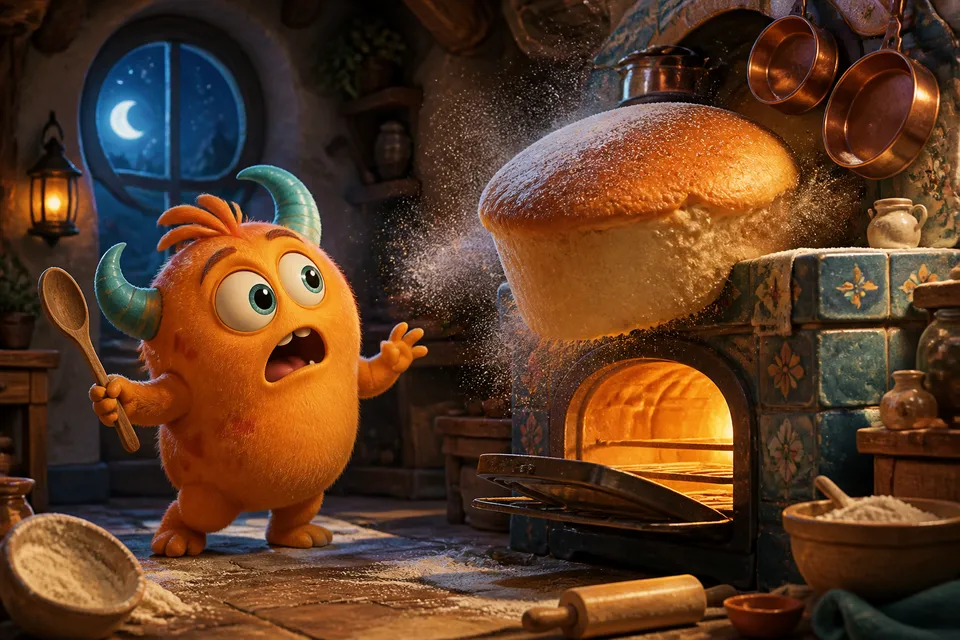
Midnight Monster Bakery
Kling 3.0 Standard · image to video · 5 s · 3:2 · no audio
View the opening frameUse this sample image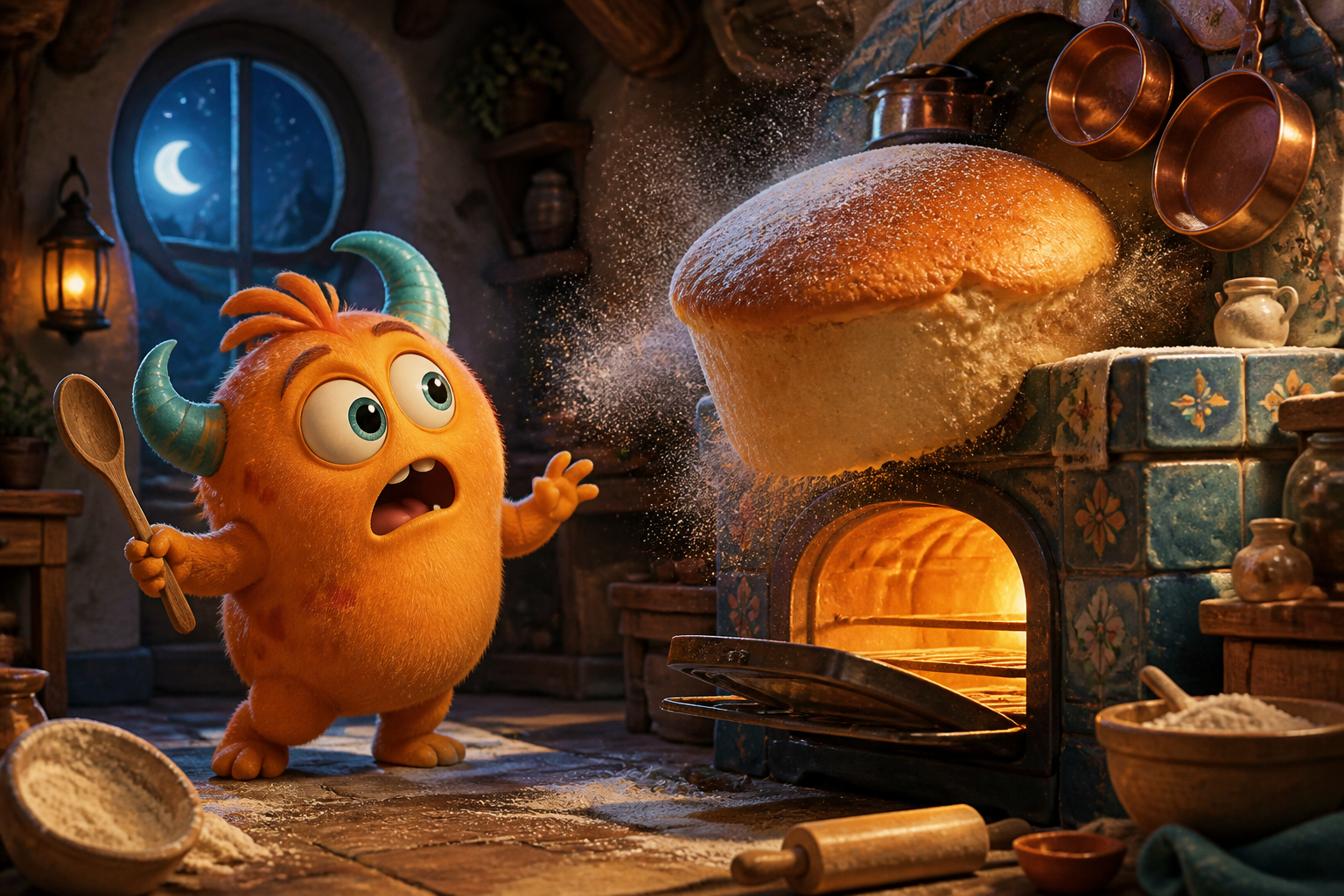
Replace the sample with your own image in the workspace. Nothing renders until you send.
View full prompt
The enormous cake suddenly rises another foot and releases a soft burst of flour. The little orange monster stumbles backward, catches the wooden spoon, blinks twice in comic disbelief, then breaks into a delighted grin. Flour curls through the warm oven light and copper pans wobble gently. Preserve the original monster design, exactly two teal horns, bakery layout and theatrical family-animation style. Smooth expressive character motion, playful timing, no new characters, no text, no logos.
What can the free credits make?
This free AI video maker offers a one-time signup trial for eligible new accounts. Check these conditions before you begin.
- Who qualifies?
- New accounts that qualify under the current offer rules. Eligibility depends on this visit and any introductory benefit already claimed. Signup credits cannot be stacked with the free first-video offer.
- How much does a clip cost?
- 500 credits cover one default 5-second Kling 3.0 Standard attempt: 360 credits estimated (350 for video generation + 10 for the message). Changing model, duration or reference media changes the cost. Check the live estimate before submitting.
- Do credits renew?
- Signup credits expire after 5 days. They are a one-time grant, do not refill, and do not provide ongoing free generation.
- What about edits and retries?
- New messages and new renders can use more credits. Loading or editing a prompt is free; submitting another request may consume credits again. Keep the current task open while it runs instead of submitting it twice.
- Will I be charged automatically?
- No payment card is needed for signup credits, and accepting them does not create a paid subscription or an automatic charge. Buying more is your choice.
- What if generation fails?
- A failed video task returns its video-generation credits under the existing refund rules. The 10-credit message fee is separate: it is returned only if the chat turn errors before producing output. A completed result you dislike does not automatically qualify for a refund. Check the task and credit history before retrying.
- Can I use it commercially?
- Videos made only with signup credits are for personal, non-commercial use under the current public terms. Paid plans include commercial-use rights subject to those terms and any rights in your input materials.
Make your first clip in three steps
- 1
Describe a scene or prepare a photo
Use the free AI video generator from text to describe one subject and one action. To try the free AI video generator from image, choose a motion and prepare your own photo.
- 2
Sign in, verify and review
Create an account or sign in, verify your email when required, then upload your photo. Your saved prompt and settings resume in the workspace. Check your balance and the estimate.
- 3
Submit, watch and download
Confirm the request yourself to start. Follow the same task while it runs, then preview and download the finished clip. No new render is needed just to download it.
Keep your first shot simple
One subject. One small action. One continuous shot. Try a flower swaying in a breeze or a gentle camera push-in. A short, specific prompt gives you a clearer result to judge than a long sequence of scene changes.
Starting with an image? Use a clear, well-lit photo and describe what should move and what should stay still. The free AI image to video generator trial follows the same credit rules. Inspect faces, labels and small details in the result.
Image-to-video guide: motion prompts and start/end framesFree AI video generator online: questions answered
Is it completely free?
Eligible new accounts can try it with 500 signup credits, valid for 5 days, without a card. This is a one-time trial with credit limits; further requests may require a purchase.
Do I need to sign up or verify my email?
Yes. You need an account to use signup credits and upload a photo, and email verification is required for email registration. Signing up or verifying does not start a render; review the restored draft and submit it yourself.
How many videos can I make?
500 credits cover one default 5-second Kling 3.0 Standard attempt: 360 credits estimated (350 for video generation + 10 for the message). Changing model, duration or reference media changes the cost. Check the live estimate before submitting.
What if generation fails?
A failed video task returns its video-generation credits under the existing refund rules. The 10-credit message fee is separate: it is returned only if the chat turn errors before producing output. A completed result you dislike does not automatically qualify for a refund. Check the task and credit history before retrying.
Will the download have a watermark?
SceneOak does not add a watermark to the generated download. Inspect the actual exported clip before using it; the samples here do not guarantee every future output.
Are trial clips free for commercial use?
Videos made only with signup credits are for personal, non-commercial use under the current public terms. Paid plans include commercial-use rights subject to those terms and any rights in your input materials.
What happens when my credits run out?
You can stop or choose a purchase on the pricing page. One-time credit packs do not renew automatically. Subscriptions renew on their stated billing cycle until canceled. Review the checkout terms before buying.
Ready to try your first short video?
Return to your draft, review the settings and decide when to generate.