
Night Conservatory: A Kling 3.0 Video Case Study
Study the Night Conservatory image-to-video example with its source frame, prompt, camera movement, Kling 3.0 settings and limitations.
Last updated: 2026-10-21
Use a still greenhouse scene to explore small subject movements, light reflections and a slow camera drift. The opening image anchors the moonlit architecture and yellow raincoat; the prompt adds a hand movement and a spiral of glowing seeds.
Input, result and full prompt
The source image and finished clip are shown together below, followed by the full prompt used when opening this example.
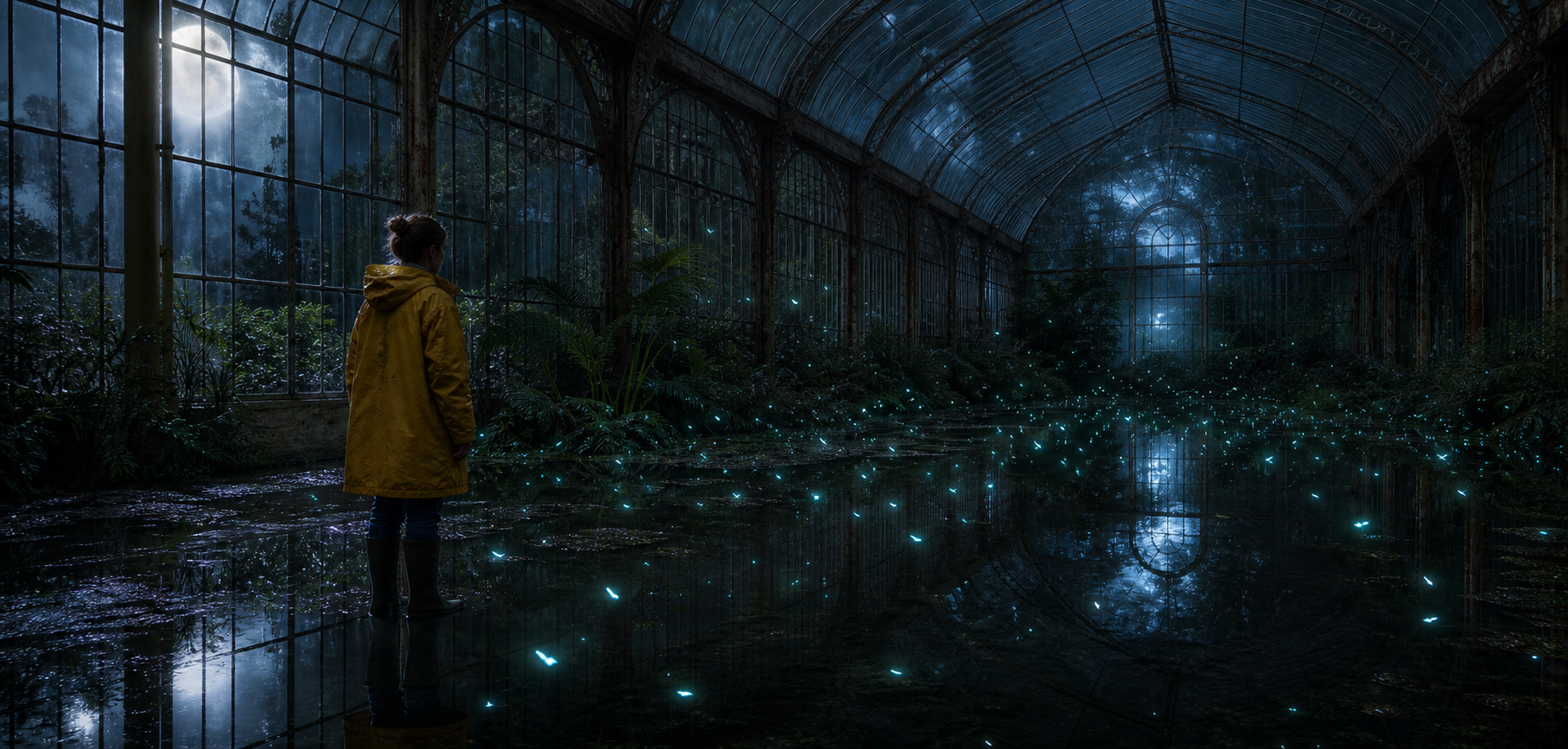
Input · original opening frame
Output · rendered on SceneOak
Midnight Conservatory
Kling 3.0 · image to video · 5 s · no audio
View the opening frameThe botanist takes two careful steps through the shallow water and raises one hand. The tiny bioluminescent seeds gather into a loose spiral above their palm, casting faint cyan reflections that move across the flooded floor. Ferns stir in a soft draft and the camera drifts slowly to the right. Preserve the greenhouse architecture, yellow raincoat, moonlit atmosphere and realistic scale. No text, no logos.
Generate with this prompt on Kling 3.0Sign up and get 500 free credits — enough for 1 five-second Kling 3.0 clip. Valid 5 days, email verification required. No card, never auto-charged.
How to approach the shot
- Keep the supplied scene as the first frame. It provides the greenhouse, shallow water, botanist and lighting. No ending frame is supplied.
- Separate the layers of motion. The prompt asks for two careful steps and a raised hand, seeds spiralling above the palm, moving reflections and gently stirring ferns.
- Give the camera one direction. A slow drift to the right is easier to describe and review than several camera changes in one short shot.
- Check continuity. Review feet against the water, the raised hand, reflected light and the greenhouse lines. Reduce one motion layer if a new result becomes unstable.
Model, settings and cost
The published clip uses Kling 3.0 Standard, 5 seconds, 16:9, with no audio. Reuse loads Kling 3.0 Standard, five seconds and 16:9; image-to-video framing follows the source image. Current renders include audio, so the historical silent clip is not an exact reproduction recipe. English and Chinese entries load prompts in their respective languages; translation and generation randomness can also change the result.
A default five-second render costs 350 credits, plus 10 credits per chat message. Add both when one message starts one default render. Extra conversation, another render or a different duration costs more; check the workspace estimate before sending. See plans and credits.
The example button only loads the input and settings; it does not generate or charge automatically. Signed-out visitors go through sign-in first. If you have a personal draft or attachments, the workspace asks before replacing them. Review the prompt, media and estimate before choosing to send.
Variables you can change
- Camera: try a locked camera to isolate the subject and seed motion.
- Subject: keep the botanist standing still and only raise the hand for a simpler action.
- Seeds: change the spiral to a gentle upward drift; avoid adding several new effects at once.
- Scene or lighting: use a new starting image for a substantially different greenhouse or time of day. Keep changes to text and image consistent.
These are adaptation suggestions, not separately tested outputs. Change one variable at a time to make differences easier to judge.
Limits and result checks
Water reflections, tiny particles and a moving person can lose temporal consistency. The written “two steps” and slow camera direction may not be followed exactly. A matching source image improves the starting composition but does not lock the later frames.